The AI leaning curve is not like learning other new technical skills. It’s not like learning a new programming language where once you learn your first programming language, all other programming languages are just variation on the same concepts. This is entirely new. It’s about orchestrating uncertainty while maintaining authority. To most software engineers this is going to sound like bullshit. But whether we like it or not, this is the new reality.
I lay out my AI learning journey like this:
0 – I have heard about AI but not done anything with it. 1 – I have used an AI chatbot. 2 – I have used a CLI chatbot to write code. 3 – I have used a CLI chatbot to analyze code. 4 – I have stood up my own LLM model runner. 5 – I have written an AI chatbot that can use MCP. 6 – I have written a background batch process using AI. 7 – I am writing a background batch process the lets AI write the process, check into git, monitor tickets and validate against a good set of validations. (I do not write the code, AI writes the code and I “manage” it).
I am on step 7 of this path.
Step 7 is more than coding. It’s about “coding” so the LLM can code for you. This is my goal with the video-identifier project.
This project has a significant amount of infrastructure for a personal project.
It has ETL from the IMDB database. It has a model runner that runs a dedicated LLM model. It has hardware triggered script to extract the videos from the DVDs and Blue Rays. It has a docker image to run the scripting generated by the coding agent. It has NAS to hold the videos. It has a validation script to see if the extracted video was identified correctly, and then it has the coding agent to update the code when the validation fails.
I am doing this not because it must be done. I am doing this because there is no other way to learn how to use AI in the real world other than to do it. This is the first non-trivial AI task I am working on and where my understanding of what AI coding will be in the future. By using a personal project, I can spend the time and try the paths that lead to a deeper understanding of the way AI can be used.
One of the issues with using tools like Claude CLI or Gemini CLI is that you have to closely monitor each command they run. This can sometimes lead to mindlessly pressing “ok” or letting the AI run commands that later prove problematic. These CLI AI tools have full access to everything you have access to. If you can drop a database, they can drop a database. If you can delete a file, they can delete a file.
The problem is you either monitor every command or you run the risk of the AI damaging something.
There are several ways to “sandbox” AI from your environment. I use Docker as it accomplishes two tasks: it helps protect resources from inadvertent AI changes, and it helps set up a way to deploy services and web apps to production.
In this series of posts and videos, I will be reviewing how I use Docker for TypeScript and PHP development with AI tools like Claude CLI and Gemini CLI.
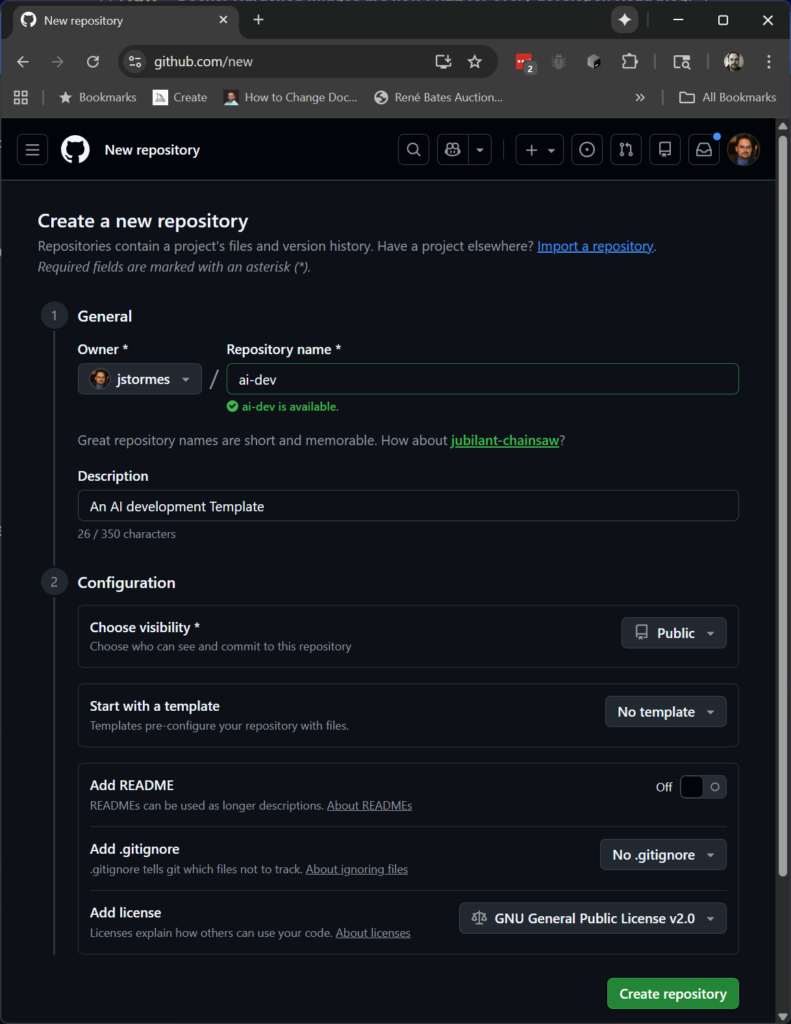
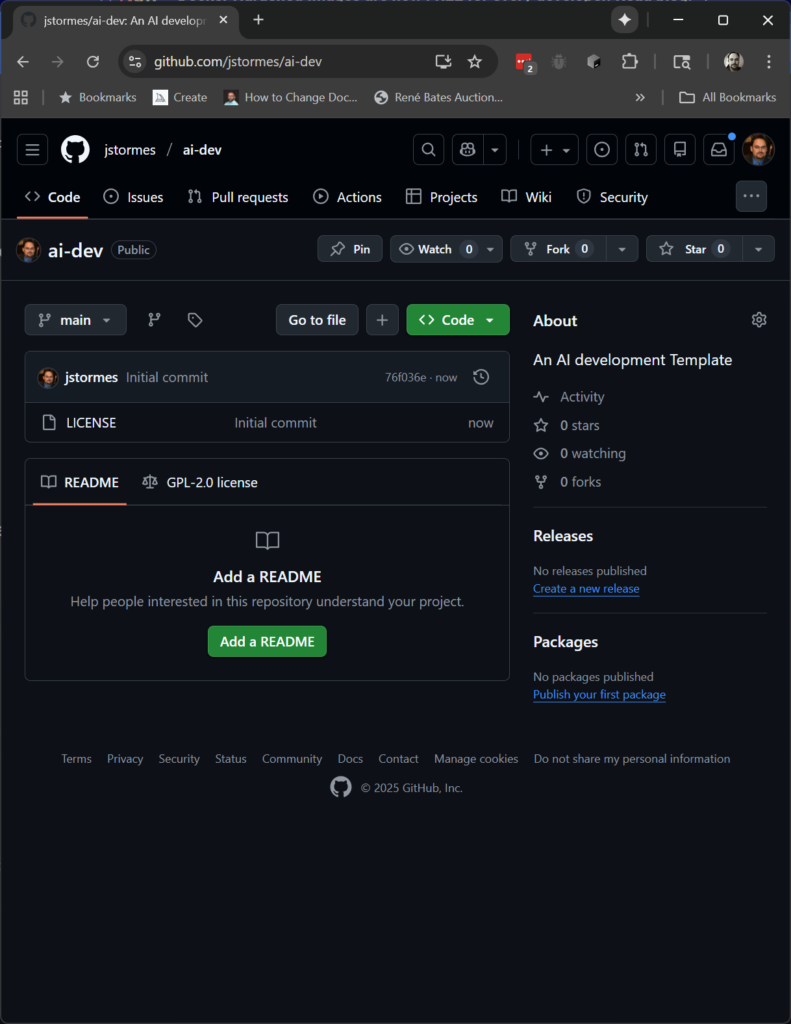
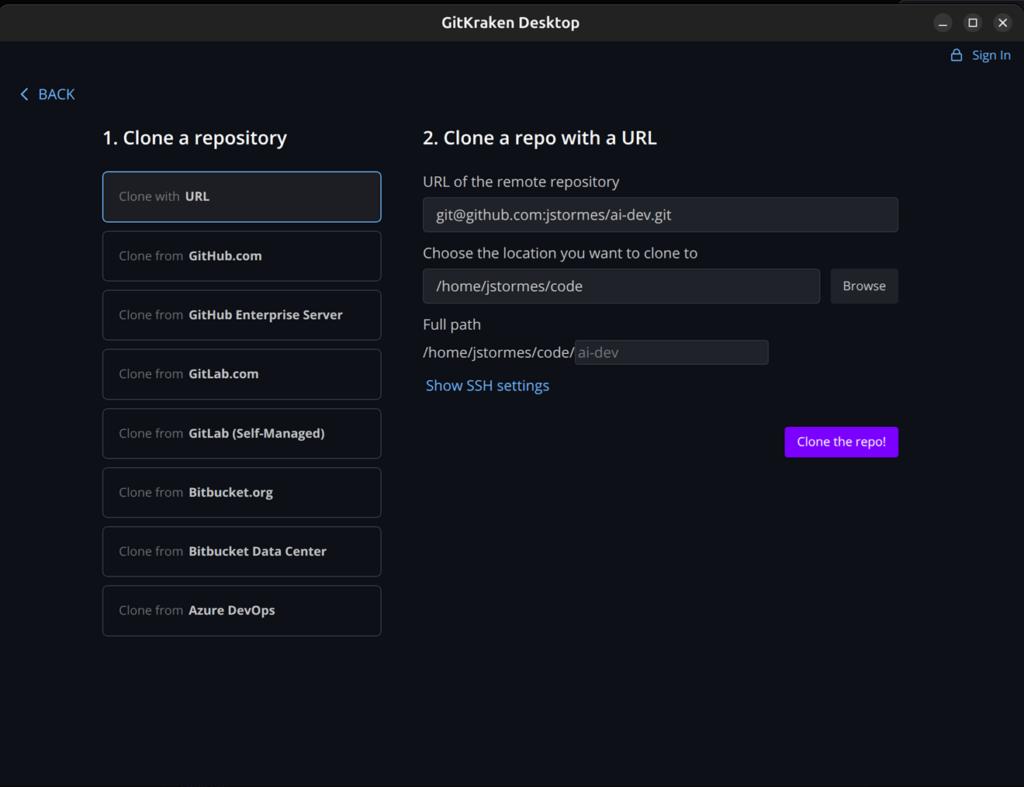
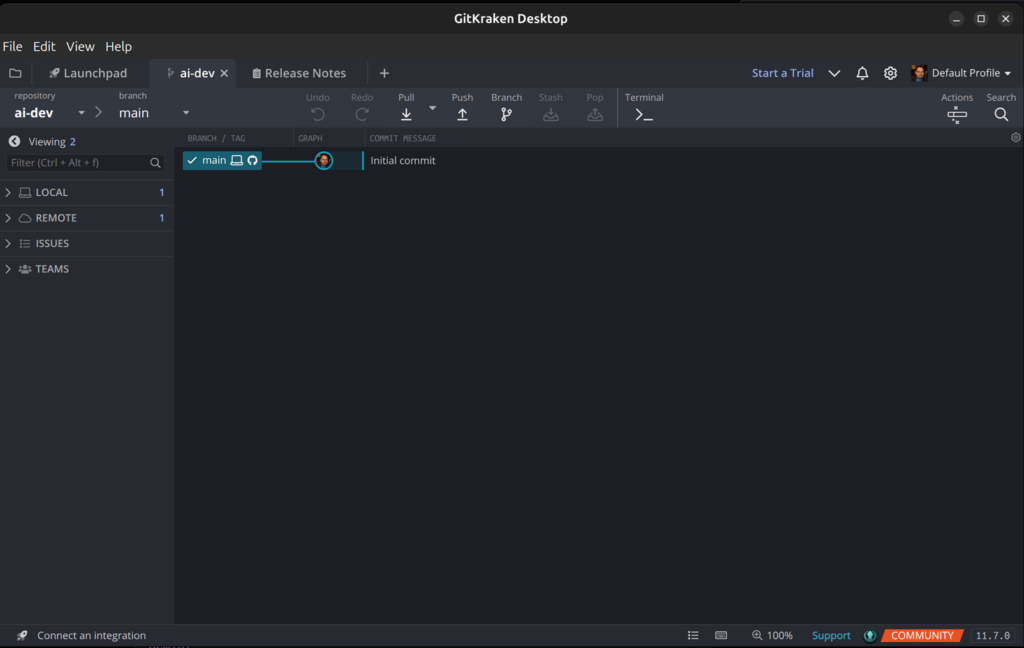
Creating a Git Project to Hold Our “Dev Environment as Code”
For this task we start where we always start as developers: with Git.
Creating the docker-compose.yml Config File
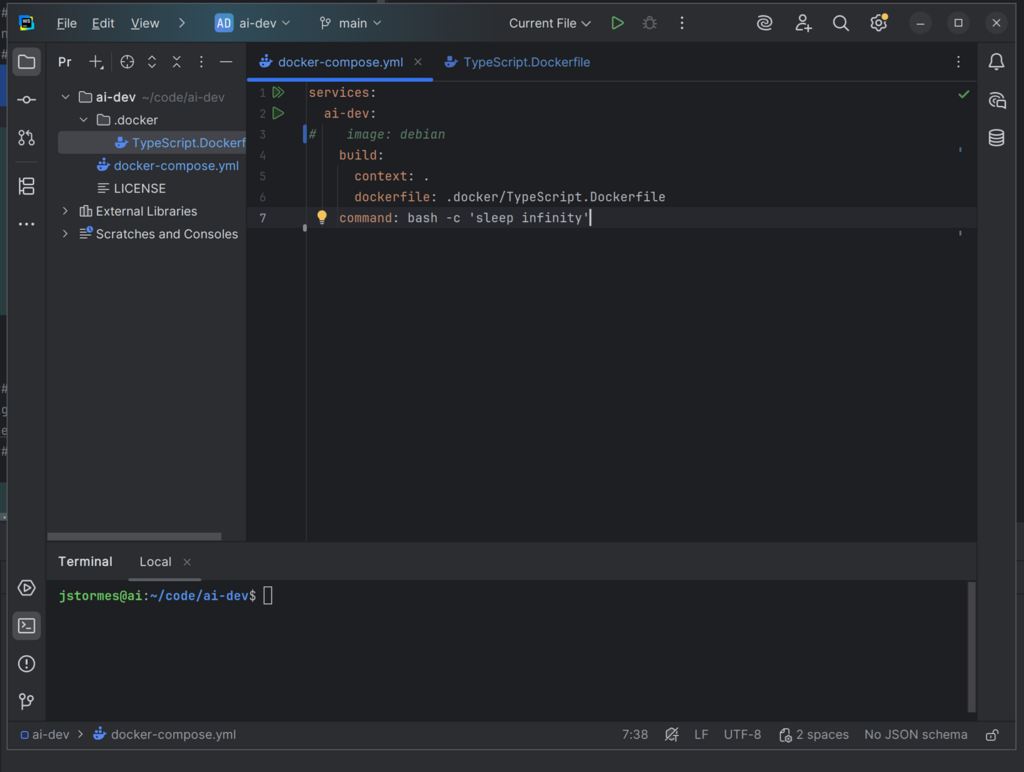
The next thing to do is create our docker-compose.yml. This is the file that configures Docker.
The first line needs to be services:. This is where we will start to list the services (aka servers) we want to run.
Below that will be the name we want to give our service. In this case we will name the first service ai-dev.
For now we will use a Docker image for our service. The next line needs to be image: debian. Below that add command: bash -c 'sleep infinity'.
Note that each line is indented one tab from the previous line.
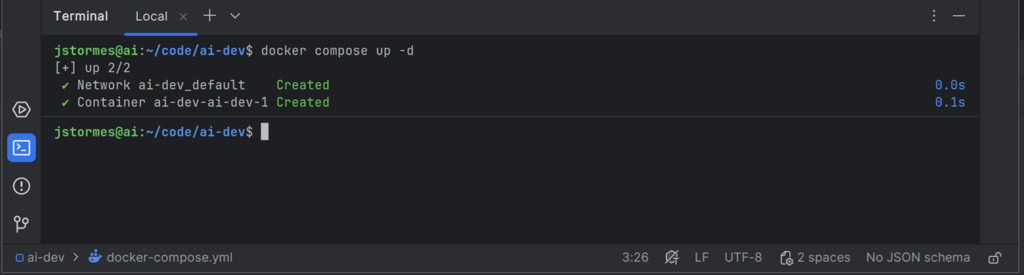
This is enough to test our first service. Make sure that file is saved, and from the command line in the same directory as the docker-compose.yml file, run:
docker compose up -d
NOTE: You may see several additional lines as Docker downloads all the resources needed to build the service, but eventually you should see the command prompt again.
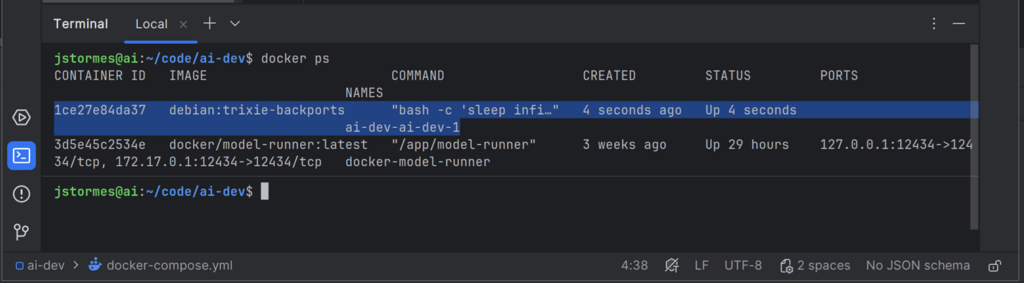
Run:
docker ps
Note the line highlighted in blue. This is our running container.
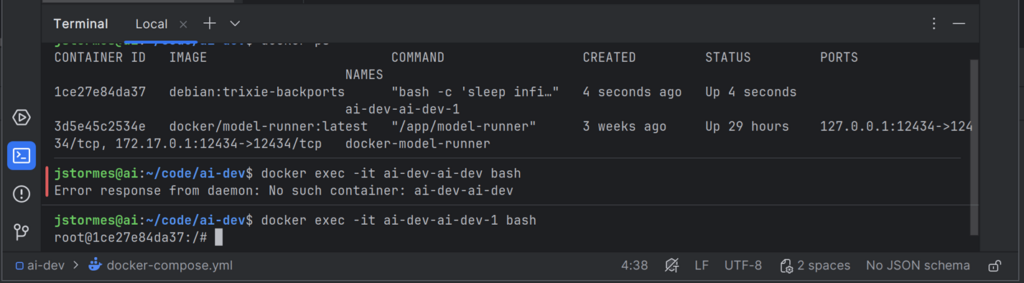
To get a command line into the container, run:
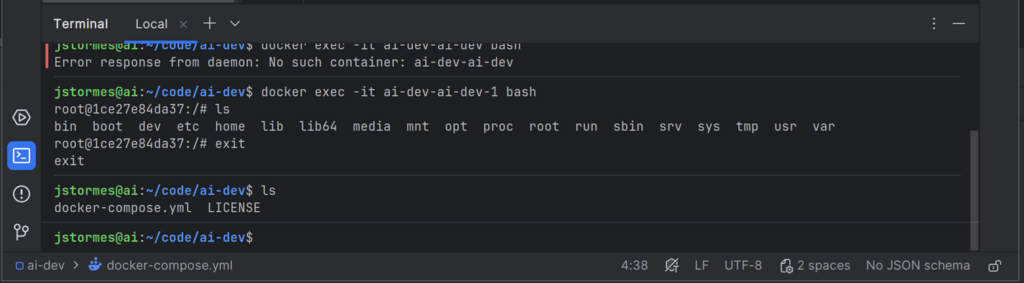
docker exec -it ai-dev-ai-dev-1 bash
This command will open a command line inside the running container.
If we run ls inside the container, we can see the root files of the container. We can type exit to leave the container, and run ls again to see the files in our project.
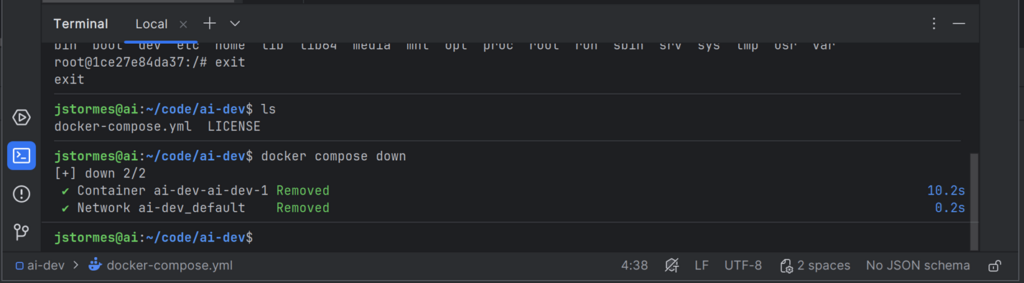
Running docker compose down from the directory with the docker-compose.yml file will shut down the container(s).
We now have two worlds that are separated from each other: the “inside the container” world and the “outside the container” world. We can use this to set up our safe AI development environment.
Mapping Directories into the Container
This container world is all well and good, but we need to get our “code” inside it.
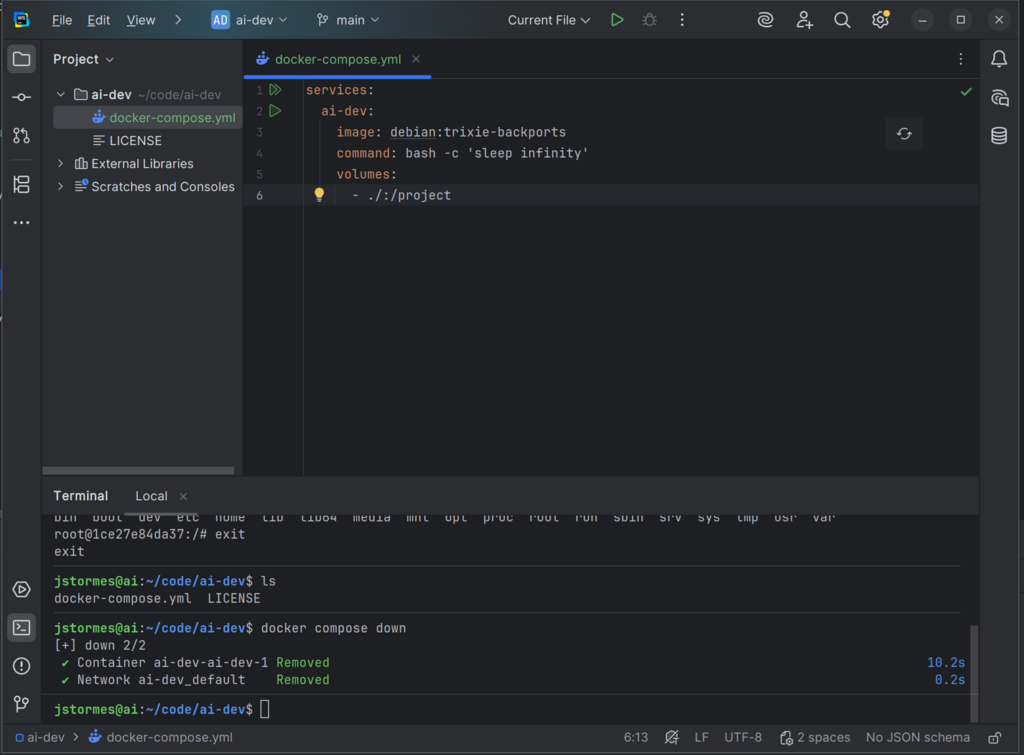
To do that we can map a volume from outside the container to inside the container by adding the lines volumes: followed by the path we want to map: - ./:/project.
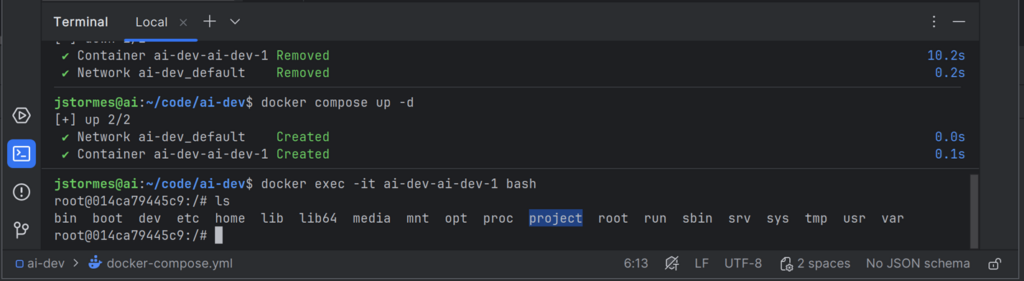
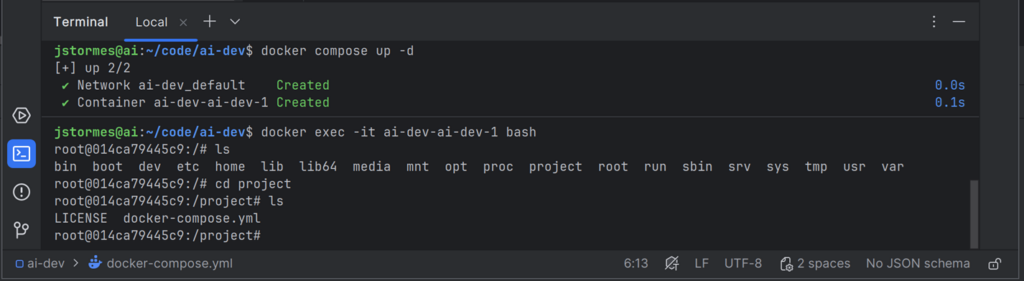
We can start our container again with docker compose up -d and go “inside” with docker exec -it ai-dev-ai-dev-1 bash.
If we run ls again we will see our project directory inside our container.
If we cd project we can then see our files from outside the container.
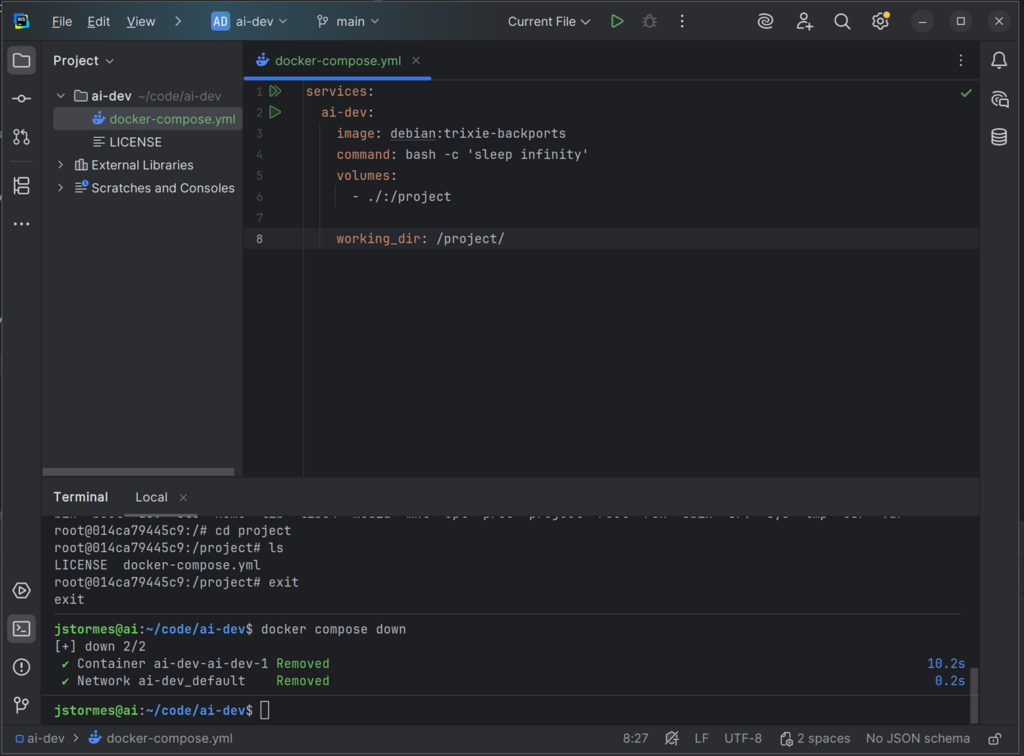
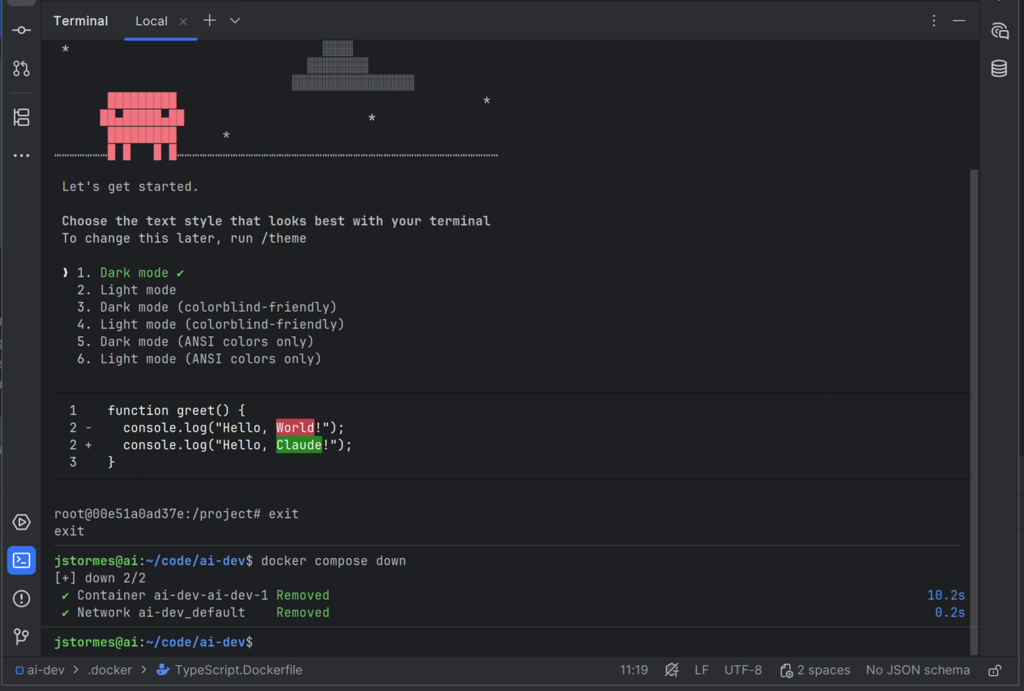
Let’s run exit again and docker compose down to leave and clean up our container(s).
We can set the default working directory to project by adding the line working_dir: /project/ to our docker-compose.yml.
We now can map files into our container.
Installing Claude Inside Our Container
Now we need to start customizing our container by installing Claude CLI in it.
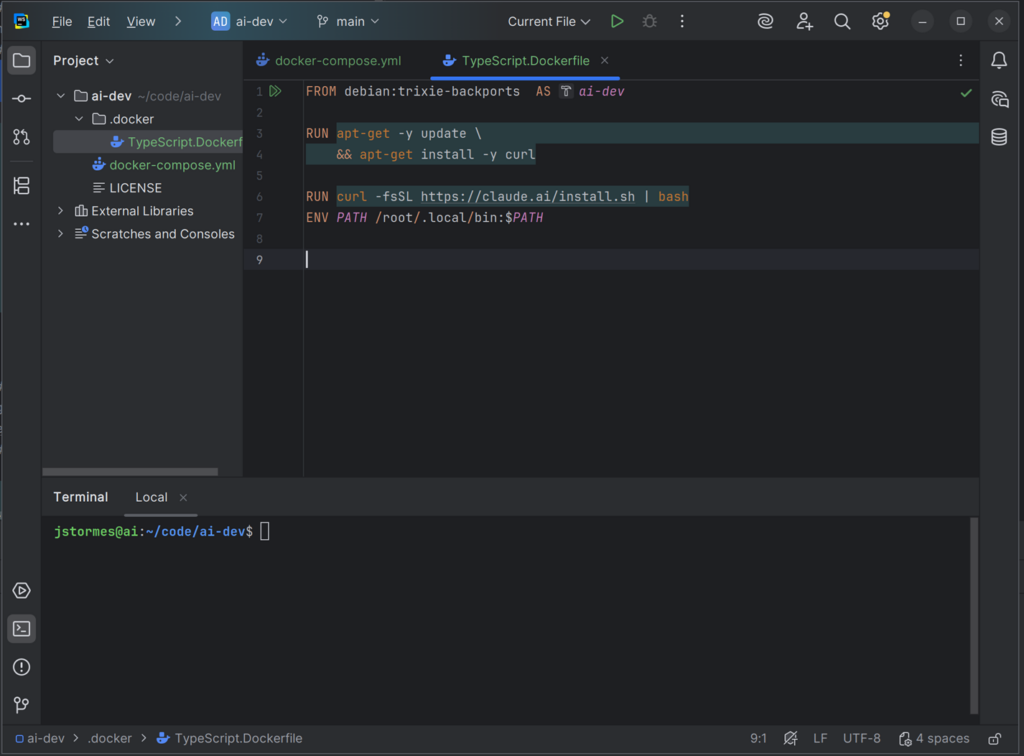
To do that we will start by adding a directory called .docker to our project. After that, create a file called TypeScript.Dockerfile inside it.
This file will be our custom setup for our ai-dev container.
In that file add the line FROM debian AS ai-dev. This tells Docker to use the same Debian-based image that we are using in the docker-compose.yml file.
Next we need to add curl so we can download Claude:
RUN apt-get -y update \
    && apt-get install -y curl
Then we can add Claude:
RUN curl -fsSL https://claude.ai/install.sh | bash
ENV PATH /root/.local/bin:$PATH
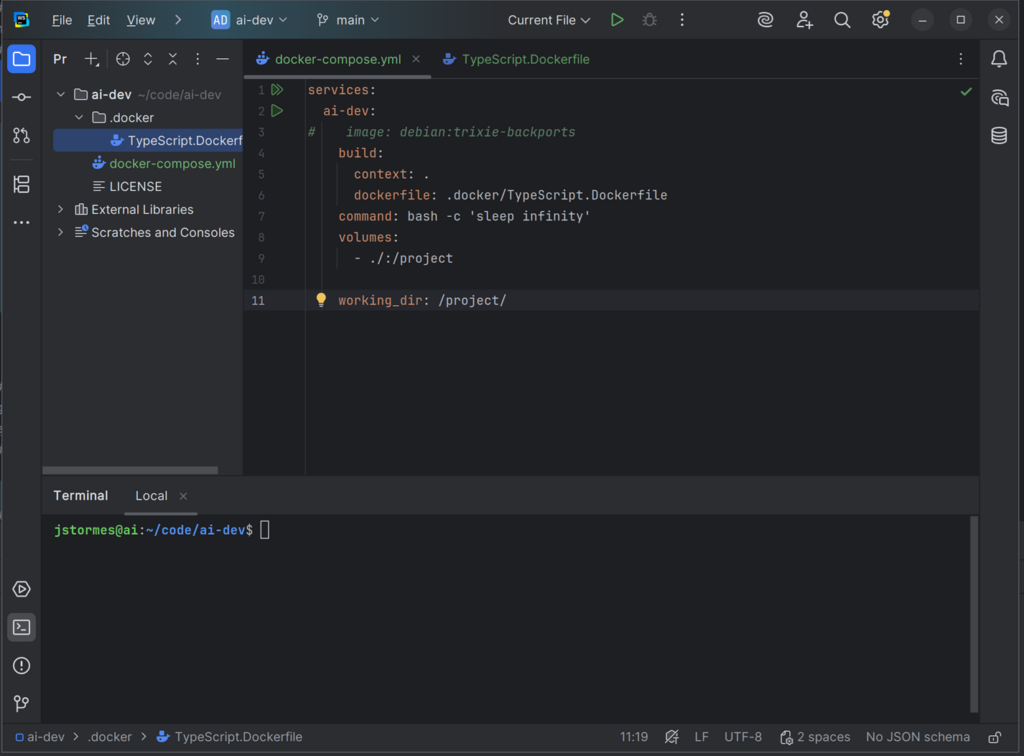
Finally we need to tell our docker-compose.yml to use our new file:
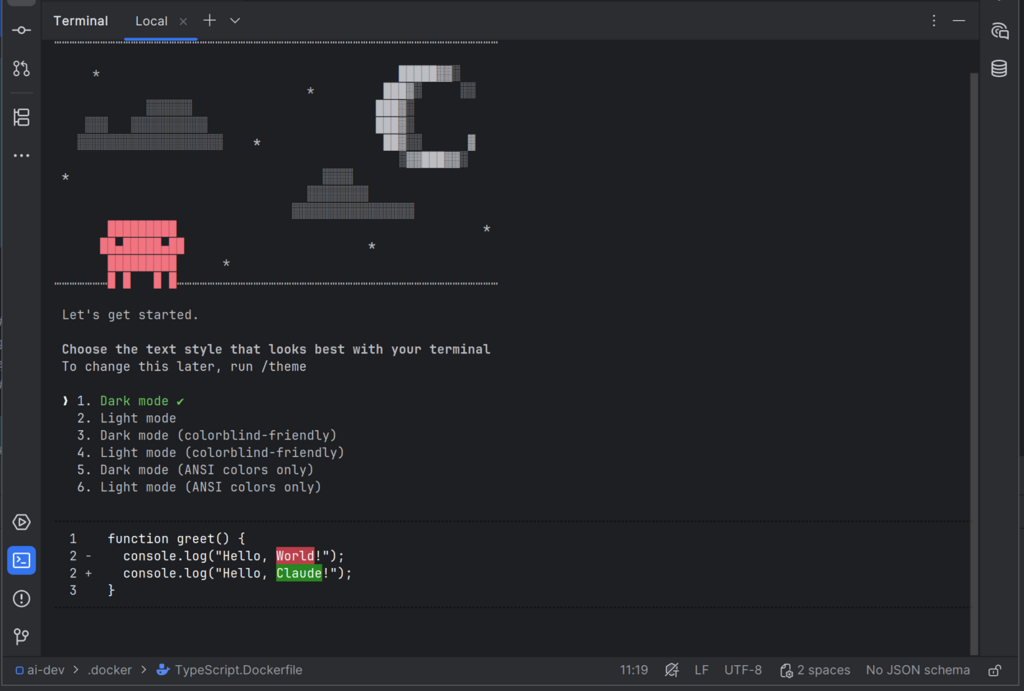
Now we run docker compose build to build our new image, followed by docker compose up -d and docker exec -it ai-dev-ai-dev-1 bash. We can now run claude inside our container.
Press Ctrl+C to exit Claude, then type exit followed by docker compose down to clean up.
This is a super minimal Docker-protected AI development setup.
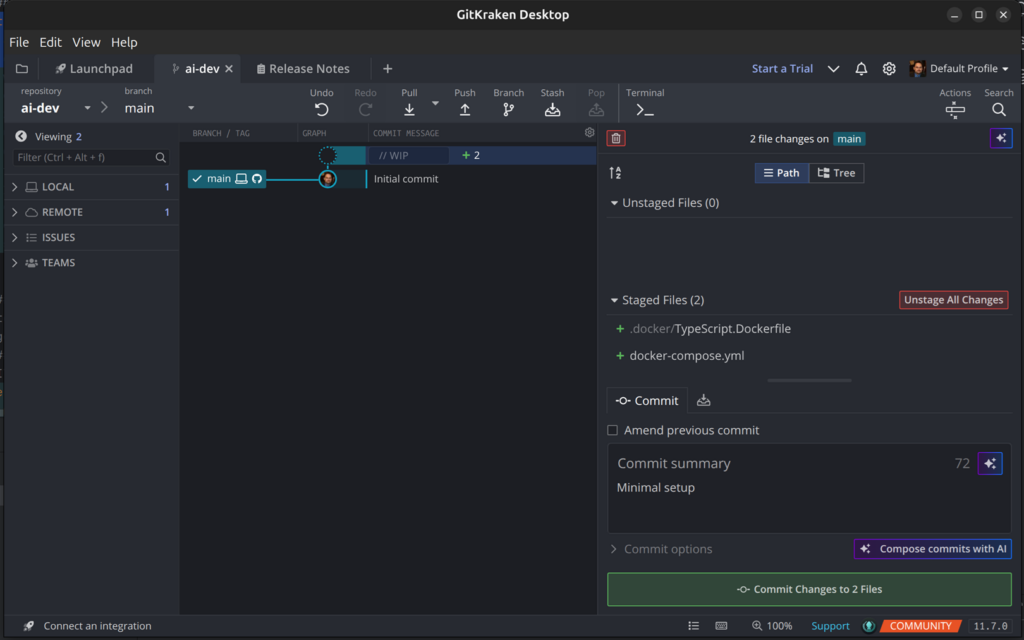
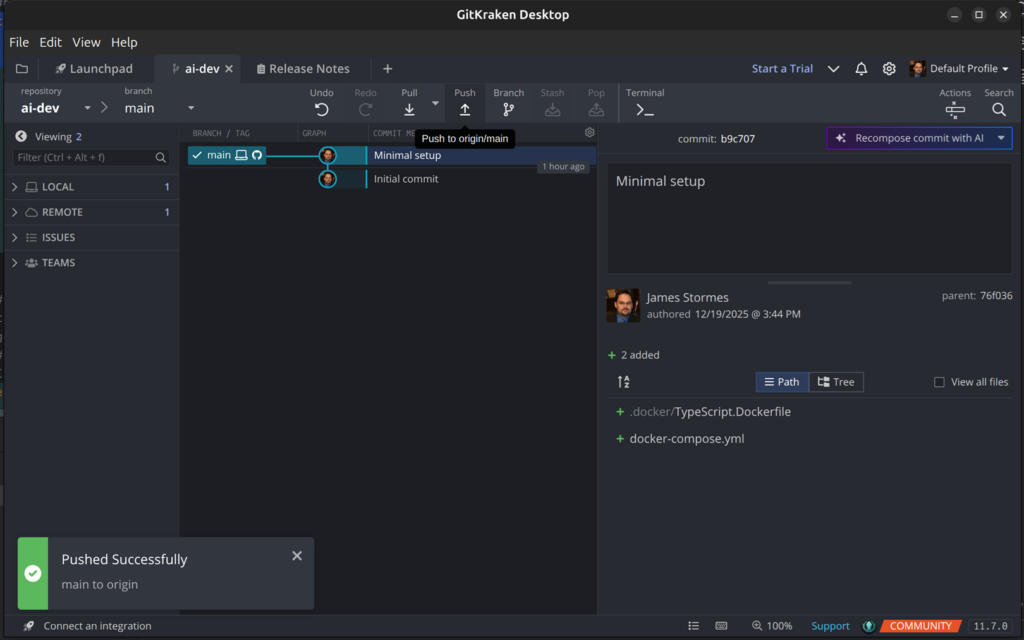
Finally we will commit and push.
In the next post we will make it more useful by passing our Claude login and adding tools for Claude to use.
I have always worked in the data space of the computer industry—that space behind the user interface, where the rubber meets the road.
People see the frontend. Most never think much beyond what’s visible. I’m one of the ones who cares about the details behind it.
I’ve been deep in research about AI: how it works, and more interestingly, why it does what it does. I’ve built test systems, just enough to understand the edges of what AI can and cannot currently do, and to understand the trajectory of how language and data models are getting “smarter.”
There is certainly a path, and it has limits. Within those limits, I’ve seen what the architecture and interface of the next computer revolution looks like.
If you work in this space, follow along as I walk through my predictions and why I think it will look this way.
AI has a serious memory limit. I don’t mean bytes—I mean tokens. People in the AI space use “tokens” with a specific technical meaning, but I’m going to use it more broadly: how much of the dynamic part of a problem the AI can hold in mind at once.
Humans have excellent short-term memory that feeds into long-term memory and reasoning. We learn as we go. AI learns general knowledge during training over months, then learns nothing else.
As humans, we take the way we learn for granted—we barely notice it. When we see AI in action, we assume it’s like us, that it can learn on the fly. This anthropomorphizing is causing people in decision-making positions to fundamentally misunderstand how to use this tool.
Current AI must be deliberately architected to “understand” its environment. We say the AI needs context, but that word is imprecise. Contextualizing is a process humans do without thinking. Because we don’t have to notice how we orient ourselves with respect to information, we assume AI can do it too.
It cannot.
This is a hard concept to convey. I believe that understanding this bias will determine who wins and who loses in the next round of technological advancement. Companies that understand how to effectively apply AI to their business processes will be the next AWS. Those that don’t will be the next Sears.
The architecture that wins will support growth without sacrificing previous gains. Each new capability should build on the last. The investment in understanding your business processes should compound over time—not reset every time a new model drops or a shiny new approach comes along.
In this series, I’m going to explore that vision: what the interfaces look like, what the backend architecture looks like, and how they apply to business in the real world.
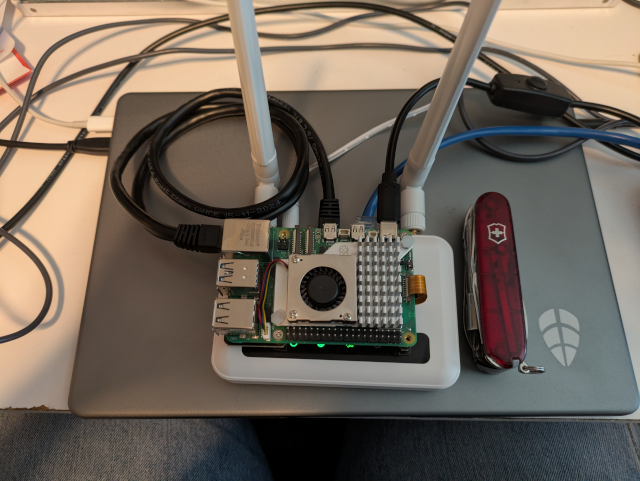
For self-hosting, I wanted to keep costs low. I see lots of people running relatively massive home servers. That’s cool, but I wanted to show that you don’t have to have massive resources. You could replace the Pi with just about any old computer as long as it runs Linux and is stable.
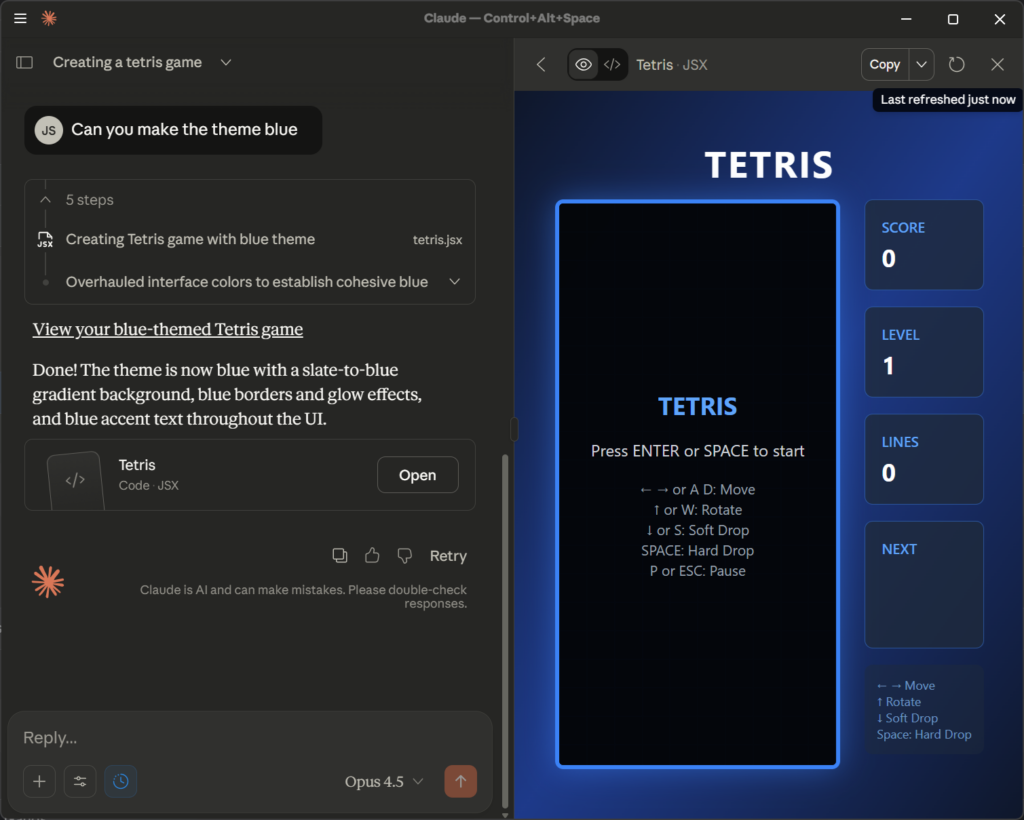
There’s an emerging concept in AI interfaces called “UI on the fly.” Basically, it’s where the AI creates a pleasing and effective user interface in the moment. You can get a taste of this yourself. Open Gemini, Claude, or any other leading-edge AI and give it a prompt like “Write me an HTML file with Tetris written in JavaScript.” Save the results to a file—say, tetris.html—then right-click on that file and open it in your browser. I bet you’ll get a working Tetris game. In a multimodal interface like Claude Desktop, it will even open it for you. This is UI on the fly.
Prompt given to Claude: “Can you create a Tetris game for me”
As software developers, let’s imagine where this is going. Say you’re writing an interface to an accounting package. Do you even need to write a user interface, or do you just need to write a detailed set of prompts and a good data tool for AI to access the data?
Let’s take another example. You’re writing a pizza ordering web app for a mom-and-pop pizza store. You write a basic static landing page with the phone number, address, map links, and so on. But for the ordering, do you write a static webpage that only works on a browser, or do you write a prompt for the AI to generate the ordering interface—with details about what data to collect and how to pass the order to the restaurant? Your prompt could include things like “when on a phone, make the interface phone-friendly” and “when on a tablet, support landscape and portrait layouts.” You can include links to pictures of the pizza types.
Now let’s say sometime in the future, the user of your app isn’t a person directly but an AI acting on the user’s behalf. You can include in your prompt: “When talking to another AI, use Markdown,” letting the user’s AI decide the interface. What if that interface is voice? What if it’s Braille? What if it’s not in English? This will be our world before we know it.
If AI can create a good Tetris game on the fly, it will soon be creating user interfaces on the fly—whether you want it to or not.
There's something satisfying about running your own server. No monthly hosting bills. No control panels owned by someone else. Just your hardware, your software, your rules.

This guide shows you how to self-host WordPress using Docker on a Raspberry Pi, NUC, or any spare computer. Along the way, you'll learn:
How Docker containers work together
Reverse proxies and SSL certificates
Backup strategies for databases and files
Basic server security
The stack is simple:
Container
Role
WordPress
The application (Apache + PHP)
MySQL 8.0
Database
Nginx Proxy Manager
Reverse proxy, SSL, domain routing
Is this the cheapest way to run a blog? Probably not—a $5/month VPS might be simpler. Is it the most reliable? Your home internet will go down eventually.

But if you want to *understand* how web hosting actually works, there's no better way than doing it yourself. Every problem you solve teaches you something. And when it's running on hardware you own, sitting in your closet or on your desk, it feels different than renting space on someone else's computer.